How to create and share the MCT transcript link
Sometime you are asked to share your MCT Transcript. This is the documents, officially recognized, with the status of all your certifications.
The procedure is really simple
First of all, connect to https://learn.microsoft.com/
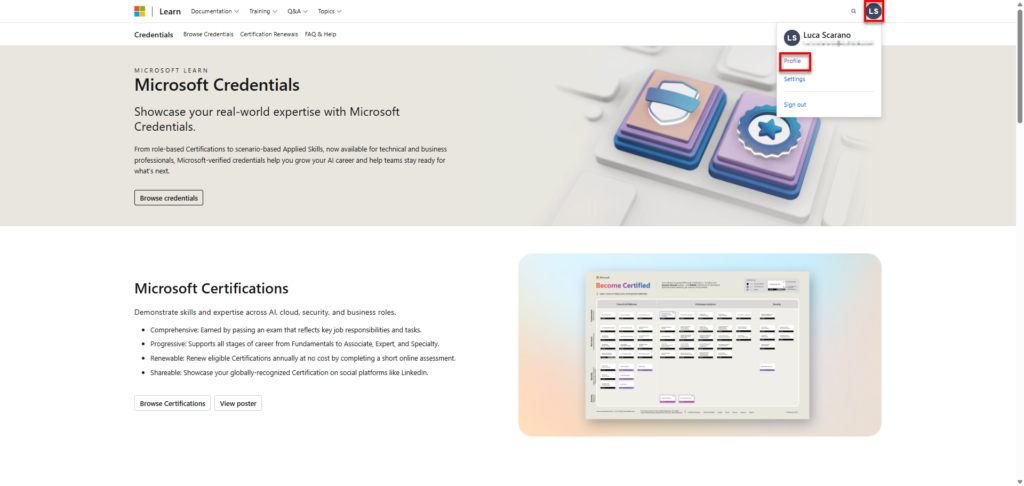
Then go to your profile
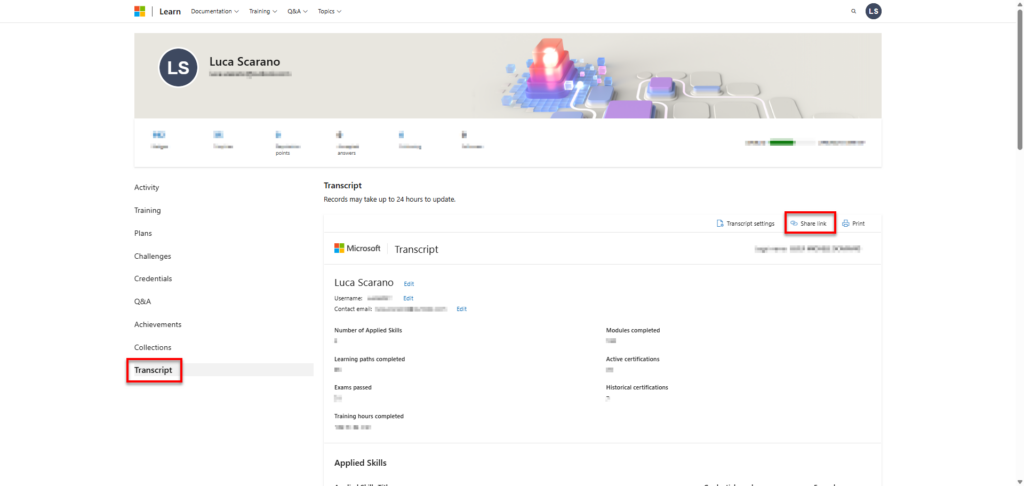
Once in your profile, through the left menu, select Transcript. On the top right you will see Share link. click it
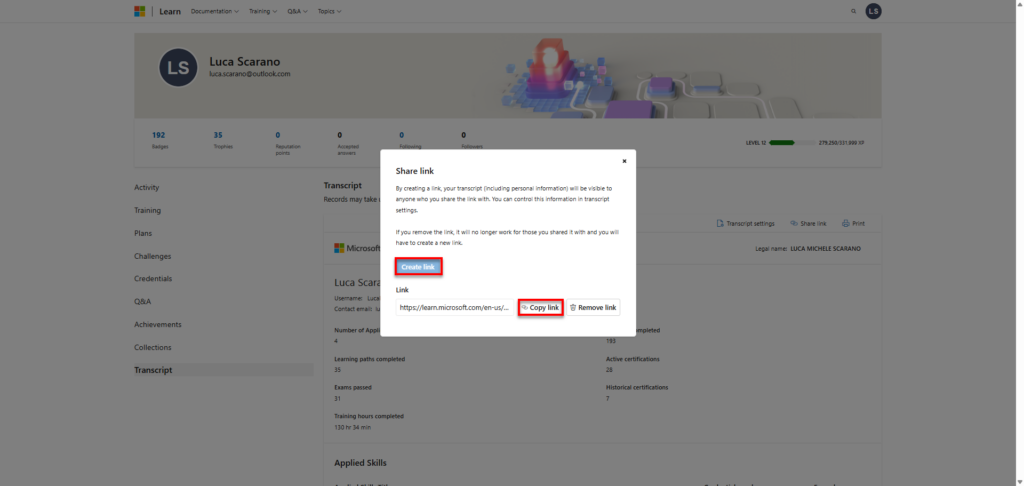
Now the page will give you the possibility to create a link to share. Click on Create link, and after this copy the link.
That’s all!
MCT Community Moderator
0